Introduction
A feature I wanted to put in place early on was a fully fledged RPG-like dialogue system. I felt that although Soul Invictus is based on some of the basic survival game principles, I didn’t want it to cultivate the feel of a lonely survivor who has to piece together what has happened to the world and his environment around him. Rather I wanted to surround the player with life and interaction, melding their chosen interactions with the stories of the NPCs around them.
In order to do this, I looked to games that I love that do this excellently. From my early days in gaming I have been playing these types of games and have a long list of ones that I love. Notable mentions are: Planescape Torment; the Baldur’s Gate series (including the new one); the Star Wars KOTOR games; and in the more casual department, Stardew Valley.
Building such a dialogue system from scratch seemed quite daunting at first. But I broke the task down to its component parts and actually it proceeded quite smoothly. The main four areas of design that I needed to face up to were:
- Easy creation & modification of dialogue scripts
- Sensible storage of the script data for game access
- Display & Replay of the dialogue in the game UI
- Marking styling & events in the scripts, so that they can be tied to dynamic interaction in game
1. External Creation of Scripts
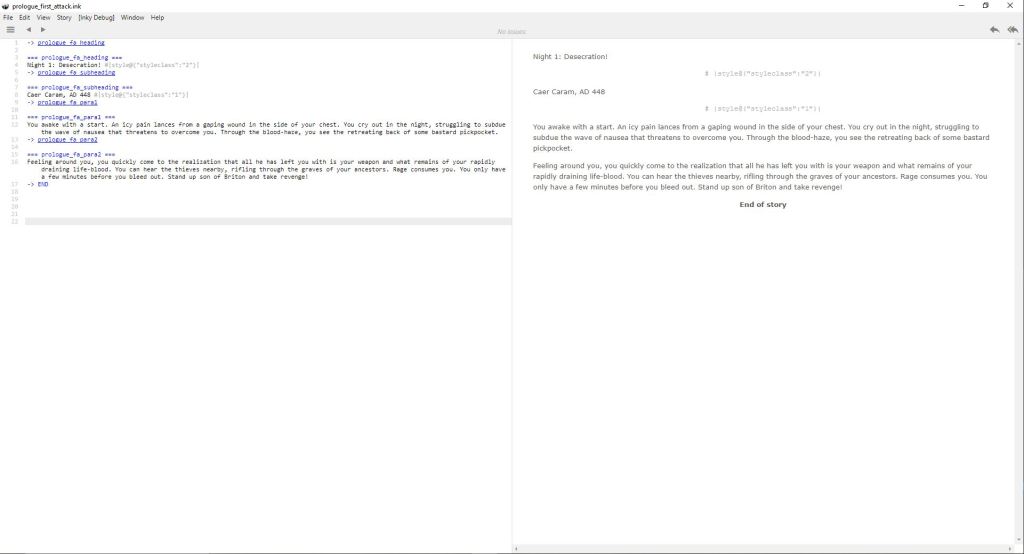
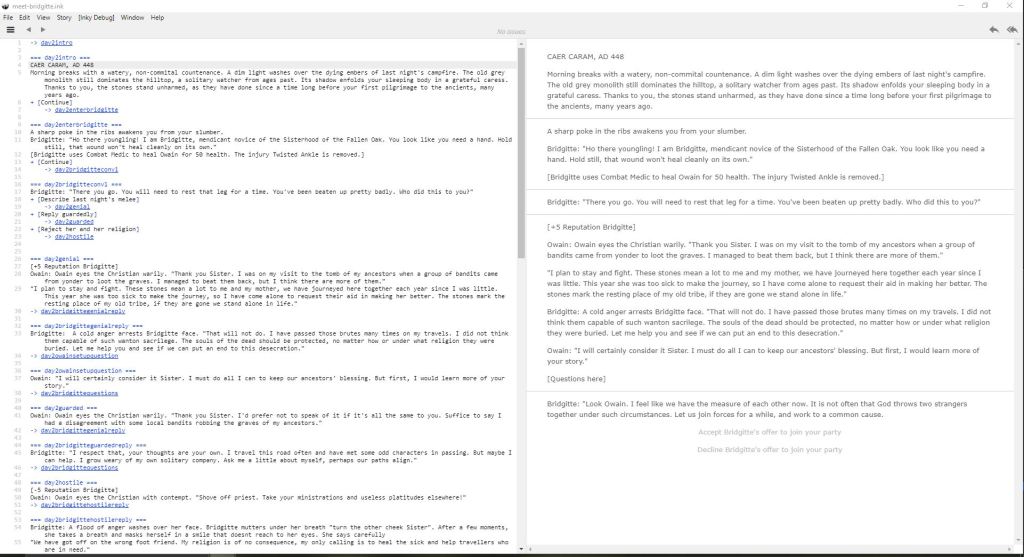
For the creation & modification of the scripts, I did a bit of background research and quite quickly came across the background problem of scripts with jumping structures and loops causing difficulty in linear storage. Luckily, this problem has been mitigated and solutionised through a number of easily accessible tools, one of the most noteworthy being Inkle Studios desktop program Ink – https://www.inklestudios.com/ink/.
Ink is a great tool for writing and visualising dialogue scripts in a simple syntax that is easy to parse and visualise. It duplicates its output of the proprietary file in JSON by default (which I think is a great feature), and the in script editor has an Adventure Book style interface window that lets you play the script through visualising the loops, choices and jumps (or Knots, Choices and Diverts in Ink parlance).
Using this tool allowed me to separate the writing of interesting dialogue scripts and its flow and call backs, away from the actual game itself. This is a pretty killer idea as it not only decouples the two issues from each other during tasking, it will allow me to farm out script creation to a writer if necessary with an easy to use tool.
2. Dialogue Data Storage
One of the primary challenges I foresaw of the system, was being able to sensibly debug the behaviour of huge amounts of dialogue objects in the system itself. It was clear that the JSON structure provided by Ink is useful for understanding, but difficult to debug if just loaded up on the fly natively. The Inkle team talk a lot about non-linear divergence and loops in how they developed their syntax, but it was clear to me that a database structure built on graph nodes and links, would in effect, handle this more understandably for both human and computer when it comes to gameplay playback.
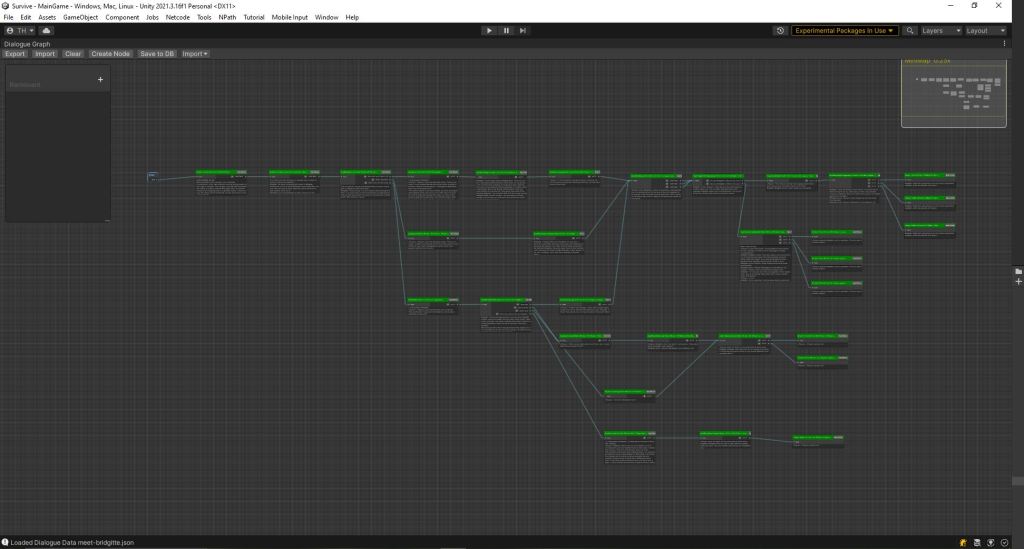
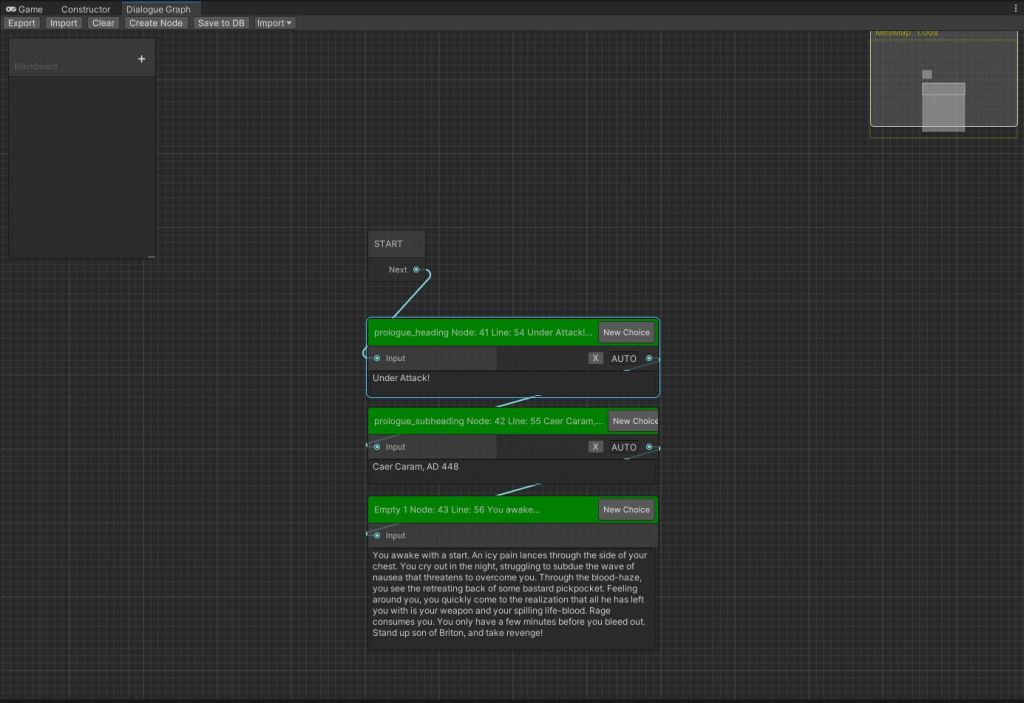
However translating that structure directly into a DB record structure may be hard to debug when errors occur due to the sheer amount of data & variation in style, punctuation, linking behaviour involved. My solution to the problem was to create a visual parser. By this time I had done a bit of work on shaders using Unity’s Shader Graph system and I had done editor work and looked at an array of tutorials on the matter. When it comes to graph like structures, Unity has put in a lot of work to make its Shader Graph editor really full featured in being able to visualise and modify the display of them.
Many online tutorials, coffees and head scratchings later, some time in 2021 I did my first import of an Inkle script into the graph system. Quite shortly after that I put together the structure I needed in the database to replicate this in terms of nodes, links, dialogues and link decorators (which I will talk about in part 4). From there it was quite simple to plug the graph editor into my existing database system (one of the first usages of it outside my runtime game) and actively write data back into the master DB to produce the dialogues. All scripts and JSON is backed up using git, so it is just a case of re-running the parser if the Database needs rebuilding. Also in terms of modification, you have 3 opportunities to tweak the info (although rebuilding will lose some if you don’t go back and update the source script): during script creation, during visual parse (actively add or remove nodes and links in the graph), and in the DB in the final output.
3. Display in the Game UI
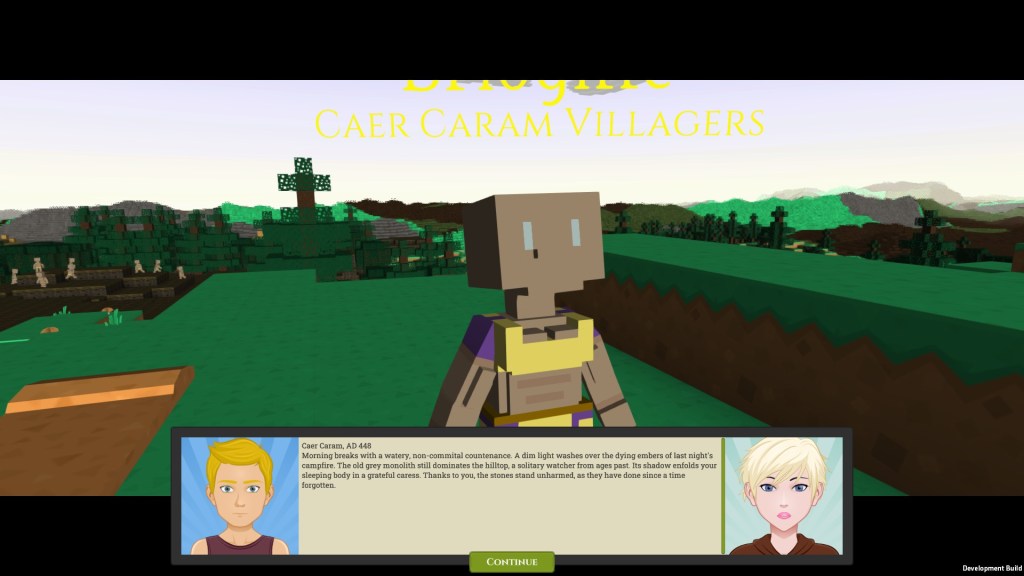
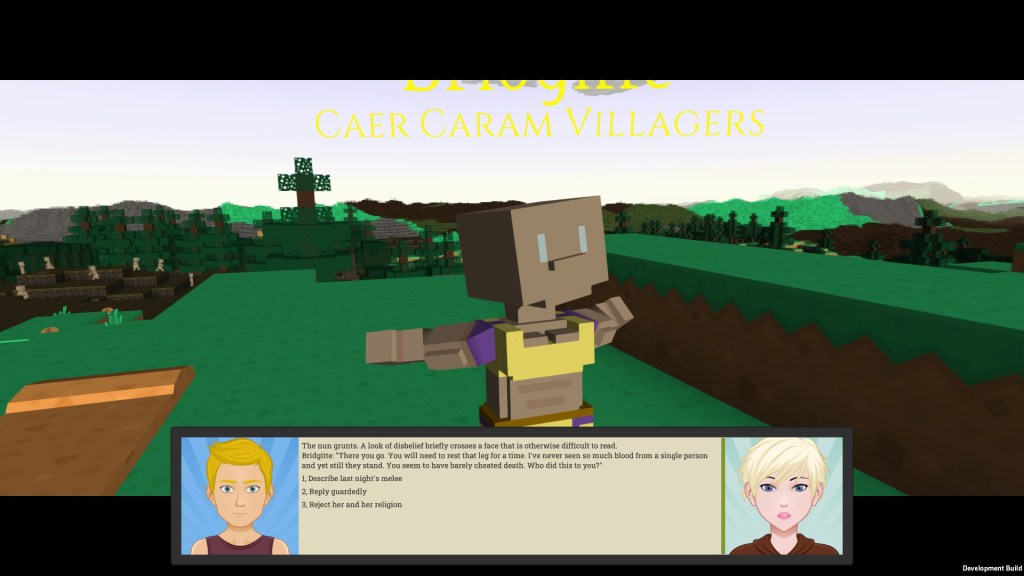
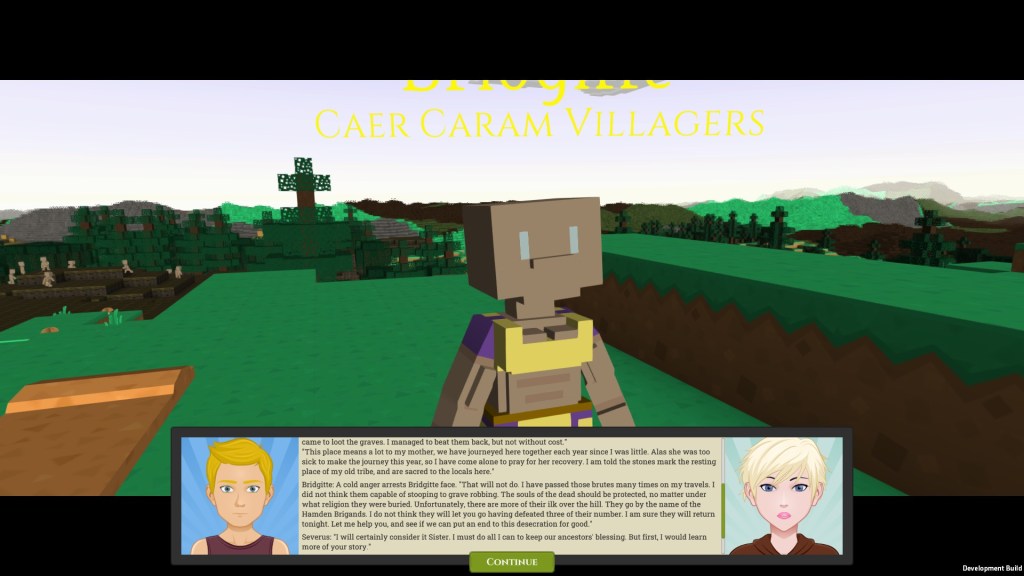
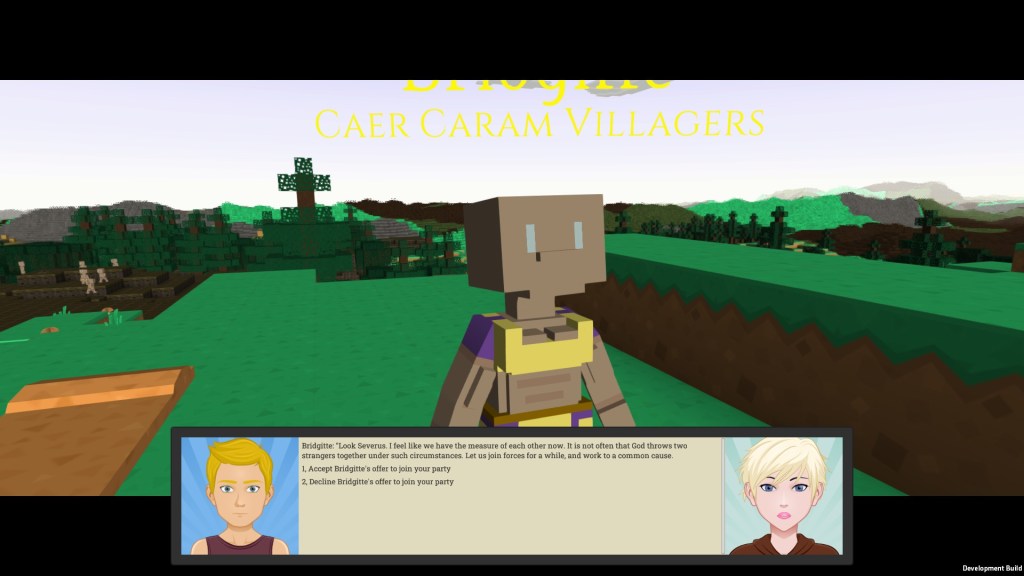
For displaying in the Game UI, I wanted two systems: a basic narration cutscene for scrolling through game monologues, and an RPG dialogue UI that has the normal stuff you would expect when two characters are talking. There wasn’t much exciting that popped out of this work that is worth highlighting to be honest. The main challenges were getting the right buttons to dynamically appear at the right point in time, getting dialogue paragraphs to appear sequentially when linked, invoking the different choices a player can make from the script and probably most dastardly, wrestling with the dialogue scrollbar to automatically stay at the bottom when new dialogue was dynamically loaded in. Unity scrollbars are a pain in the ass!
Future improvements here would be to make the words appear one by one like the old school adventure games, adding a noise to denote the player talking in the background, adding more colouring highlighting and tooltips similar to the Pillars of Eternity games series, to provide eye catchers and further background detail.
4. Adding Styling and Events
My final issue I had to contend with was dynamically hanging styling and game behaviour off the back of the script nodes or links themselves. To do this I took the approach that I use for the triggers in my quest system. I added JSON comments to the scripts as annotation that is not parsed by the Ink parser, and the graph parser pulls these annotations out as what I called Link Decorators. These decorators can largely identify a hook that can be used for anything. Some examples are:
- a simple style description (similar to css classes) – this is a header 1, this is a key noun etc.
- an identifier of the player or character for name substituions e.g. “[Player]” being substituted for “Severus”
- an item identifier to indicate loot is being given to the player
- reputation increases or decreases
- a character joining the players party
Conclusion
All in all I am quite proud of this game feature, as indicated by the length and detail of the post. It unlocks quite a large area of content provision, and does so quite elegantly with the use of good tooling and integrations across external programs, the unity editor and my database. Take a look at it in the videos and see what you think, constructive feedback comments are always welcome.


Leave a Reply